Free Chrome Extension
Advanced watchlists for Zerodha Kite
Track up to 1000 stocks per list, navigate charts with your keyboard, and import entire indices in seconds.
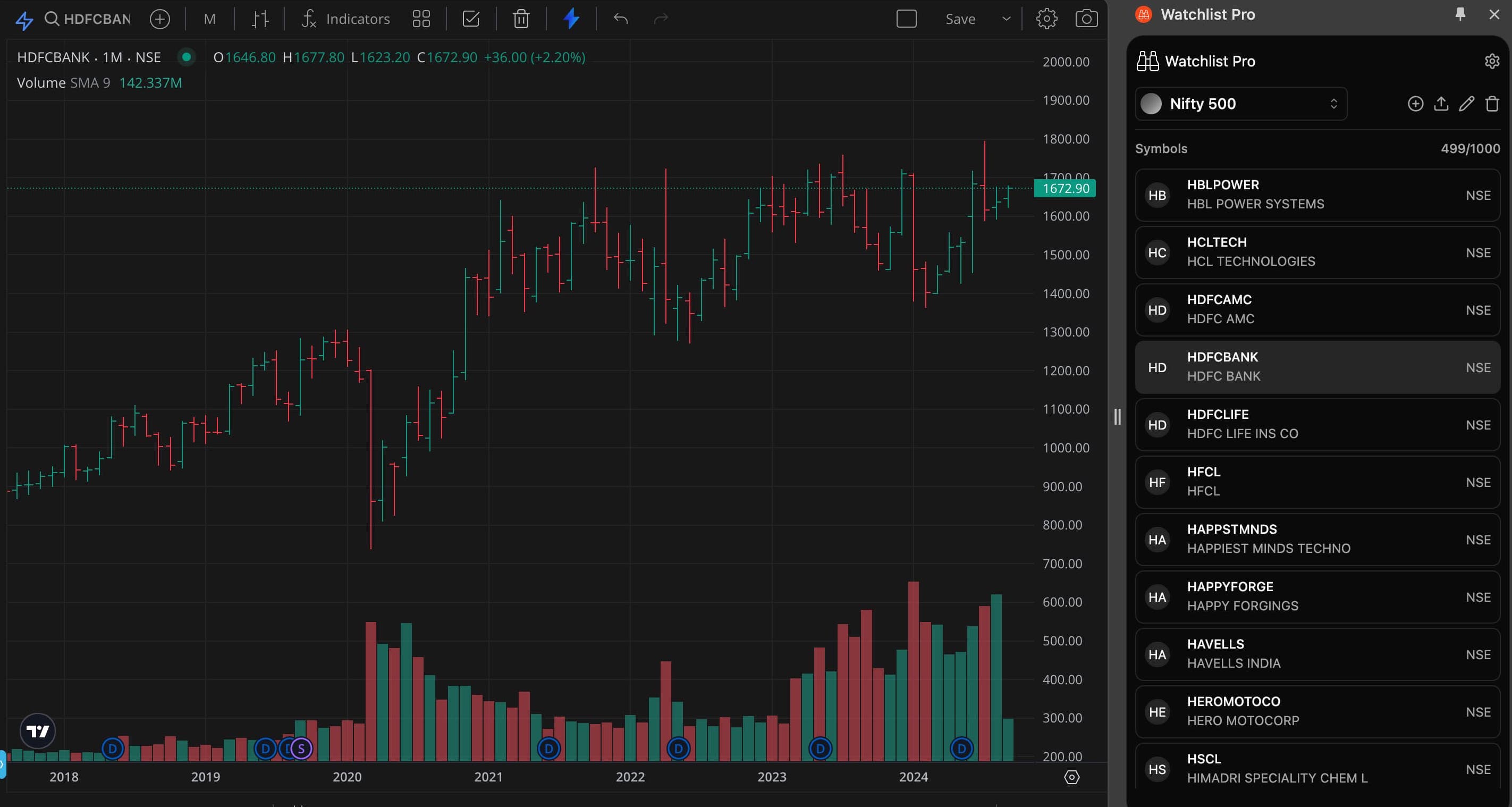
Track up to 1000 stocks per list, navigate charts with your keyboard, and import entire indices in seconds.
Watchlist Pro is a very useful extension. It does exactly what I need without any issues and makes tracking much easier. Excellent extension - clean, efficient, and very effective. Highly recommend it.
This just works and provide the much needed import from screeners like chartlink etc, yes bit of excel for adding NSE: in front symbol, but today with any AI tool, it's peice of cake. I will start using this regularly.
Watchlist pro for zerodha extension is valuable tool. it would be perfect if you create an option to move/rearrange watchlist. Thank you for making this extension.
Built for active traders who live inside Zerodha Kite.
Create as many lists as you need. Each holds up to 1,000 stocks. Move symbols between lists with a single click.
Click any stock to load its chart instantly. Use arrow keys to move through your list — no mouse needed. Works with TradingView and ChartIQ.
Zero access to your Kite account or demat holdings. All data lives inside Chrome on your device and never leaves it.
Switch themes to match your Kite setup. Whether you prefer bright or dark, the panel blends right in.
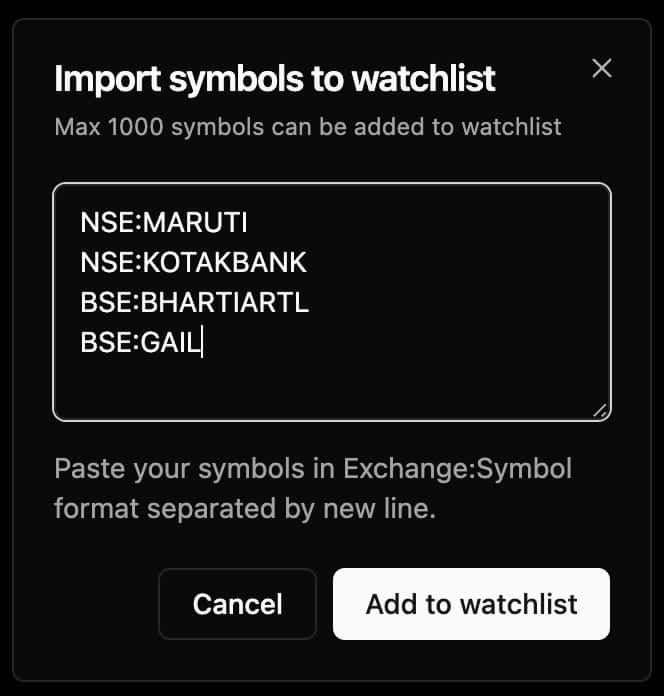
Paste up to 1,000 symbols at once in EXCHANGE:SYMBOL format. Pre-made
index lists included.
Export all your watchlists as a file and restore them on any Chrome browser. Never lose your carefully curated lists.
Follow these steps to install and start using Watchlist Pro on your Kite account.
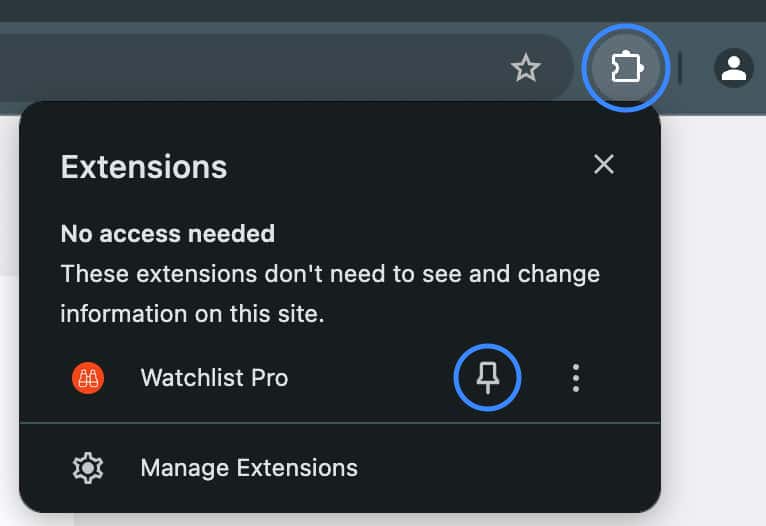
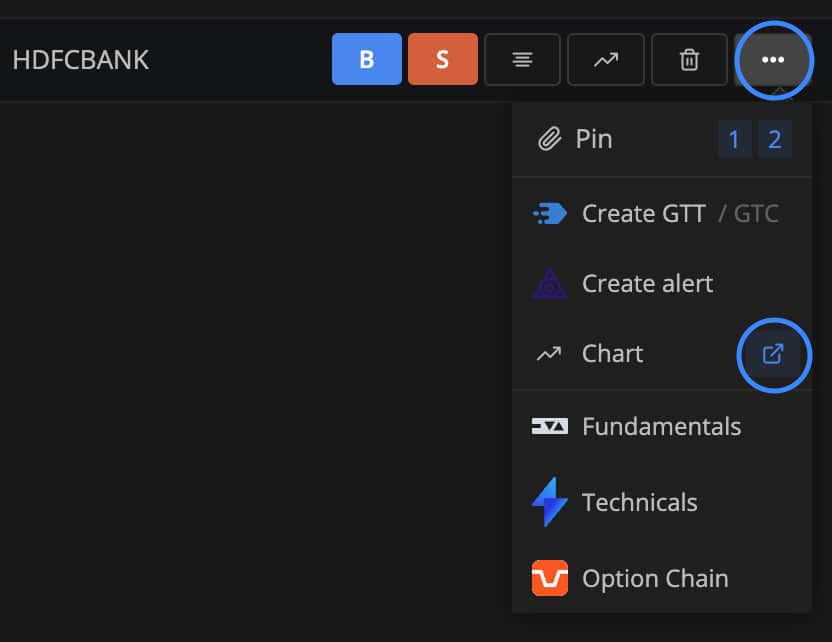
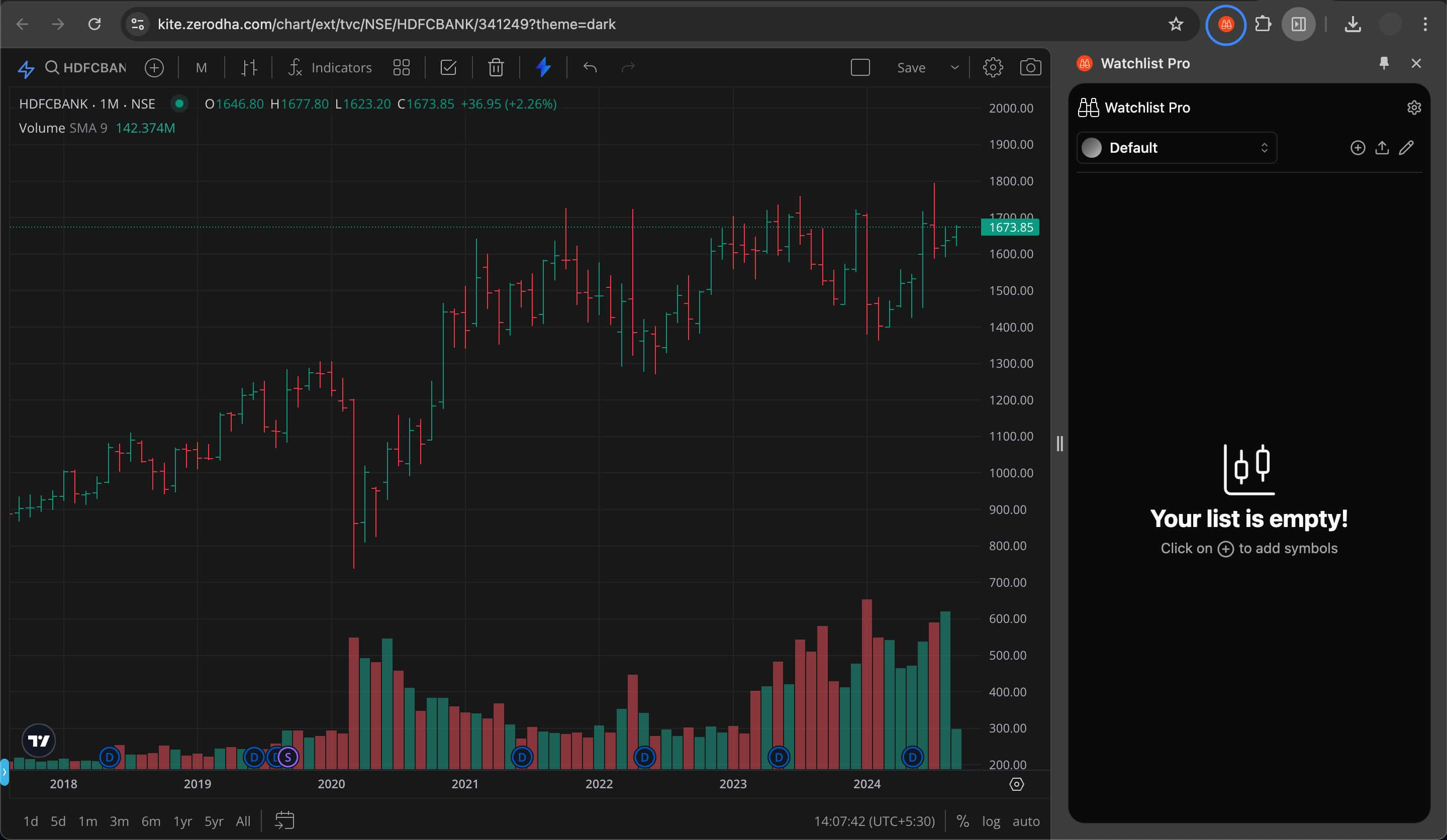
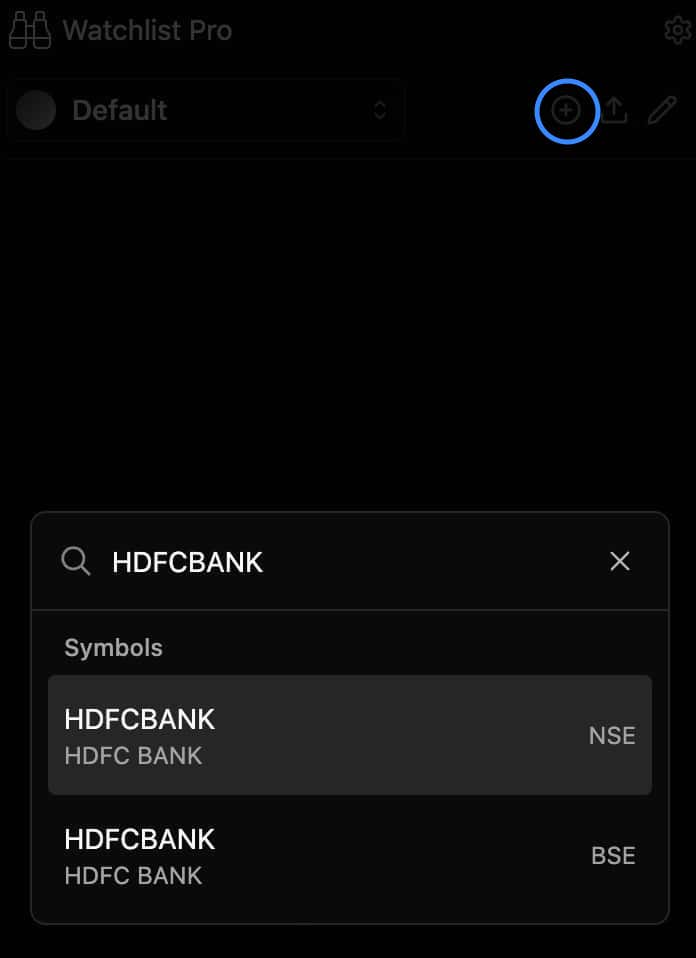
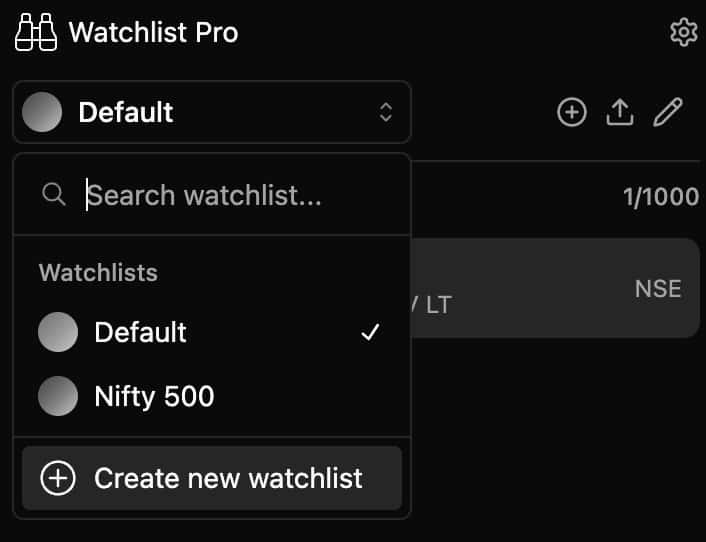
Pick an index below, copy its symbols, and import in seconds — no manual entry needed.
Browse the index lists in the section below. Click a list to open it, then select all and copy the contents.
In Watchlist Pro, create a new watchlist for the index you're importing, then click the ↑ Import symbols icon.
Paste the copied symbols into the import dialog and click Add to watchlist. Done.
All watchlist files use the EXCHANGE:SYMBOL format. Each symbol is on its own line.
F&O symbols can also be added in the same way. For newly-listed/IPO stocks, go to Settings → Update Symbols inside the extension.
Click any list to open it, copy all, and import directly into Watchlist Pro.
Yes, it is completely safe to install. This warning appears for users who have Enhanced protection enabled in Chrome settings.
Because this extension was published from a newer developer account, it takes a few months to build trust status on the Chrome Web Store.
Read Google's guidance on installing extensions with Enhanced protection →
EXCHANGE:SYMBOL format (one per line), and hit
Add to watchlist.